Jaxl Business Phone: Automate Call Lead Delegation Guide
Imagine it’s a Monday morning. You already have a lot on your plate, and on top of that, you need to assign a huge chunk of calling data of your “customers” or “leads” to your team members for customers follow up, update and so on.
And every single day, someone has to sit down and manually divide this data among 4 or more team members, one by one. It eats up time, energy, and focus.
But what if we told you this entire manual process can be automated?
With Jaxl Business Phone, you don’t have to spend hours on these repetitive tasks. The system automatically distributes calling data to your team making life easier for team leads, managers, and even business owners.
Why waste time on manual work when Jaxl Business Phone can handle it effortlessly?
Prerequisites for Jaxl Business Phone Campaign
- Login yourself as an owner Visit: https://business.jaxl.com
- Log in using your email address
- Enter your organization name and then purchase virtual number via our “Phones” section.
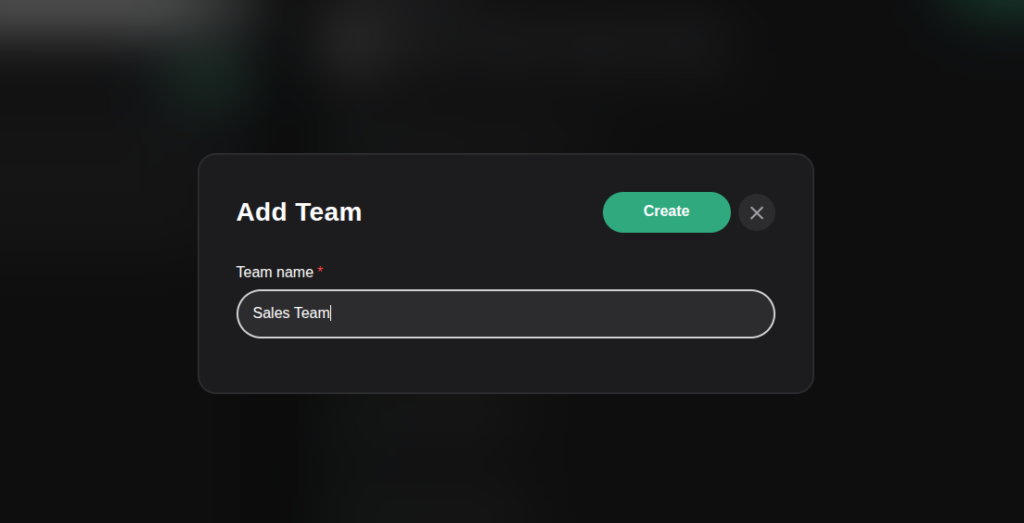
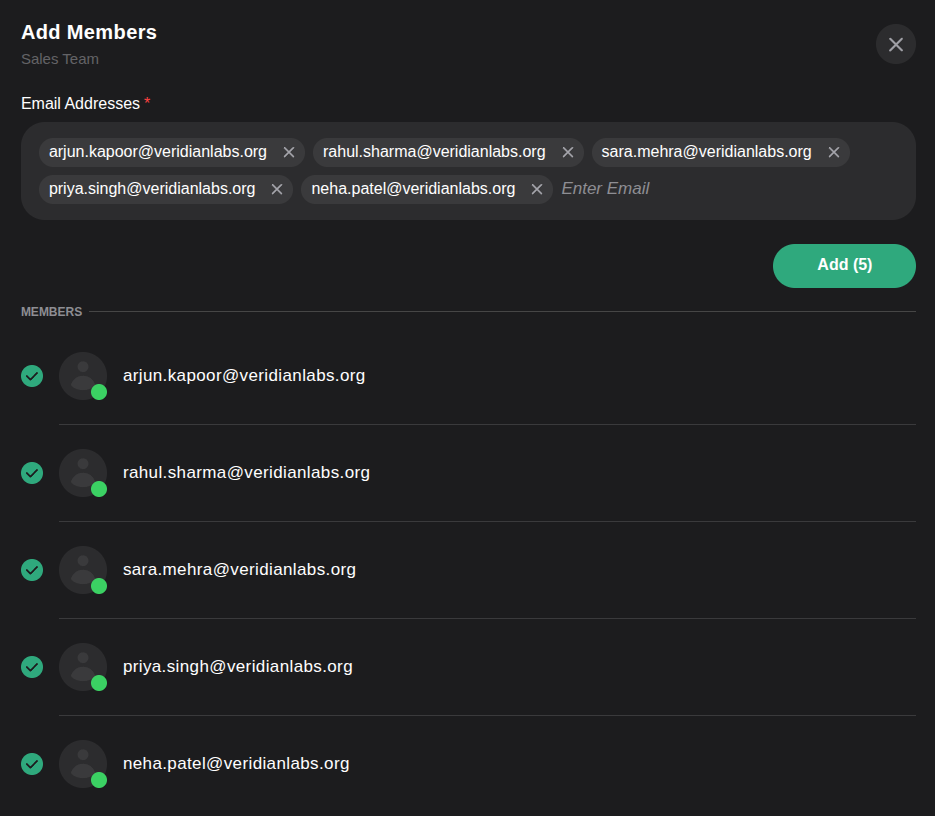
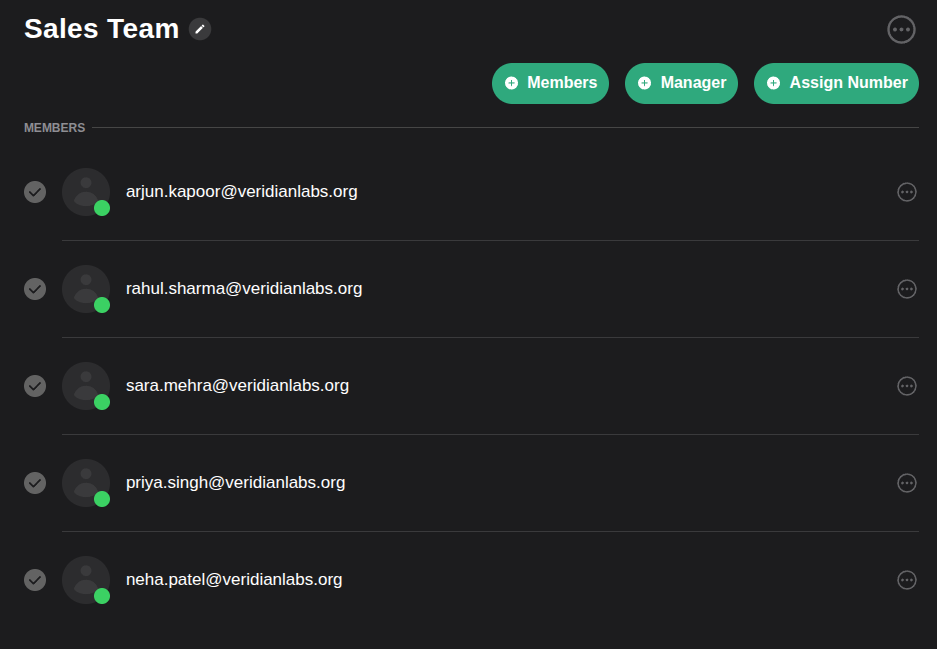
Then Create “Team” then “Add Members” and let your team members accept the invitation on Jaxl Business Phone only.
CSV Preparation
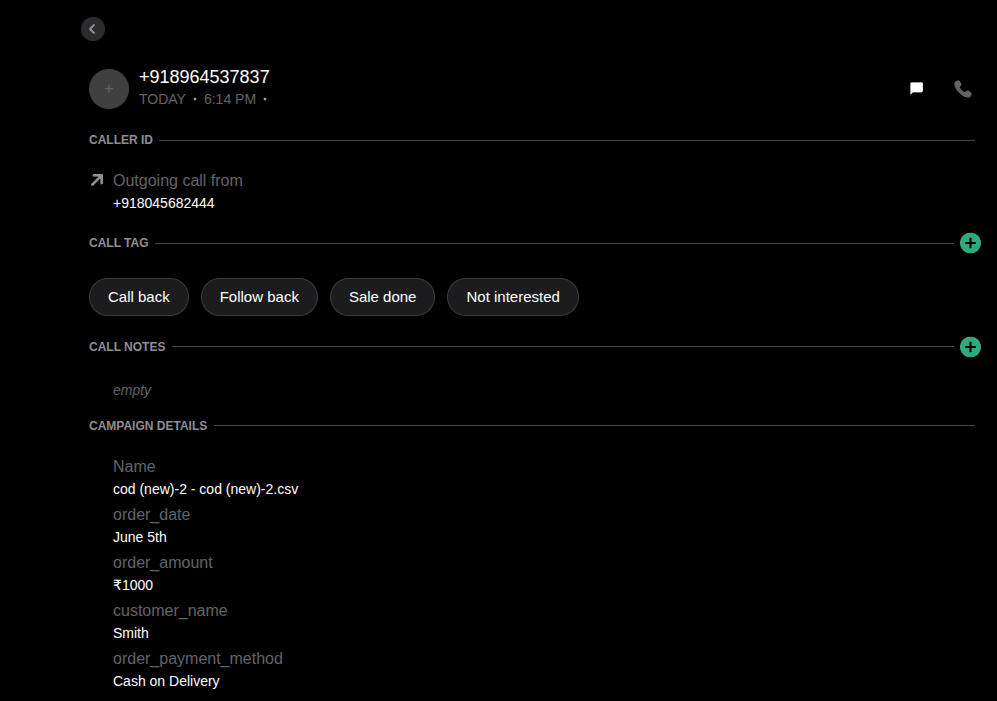
- Prepare a CSV file of all calling leads based on your requirements or preferences. Now let me explain how that “CSV” will look like.
- Note: “Target” section is mandatory and you can add required fields as per your desire.
- Image attached below for the reference.

This is how the other fields will be reflected in call detail section of Jaxl Business Phone –
Jaxl Business Phone Campaign Quick Guidelines
Step 01
Open campaign page: Visit

Step 02
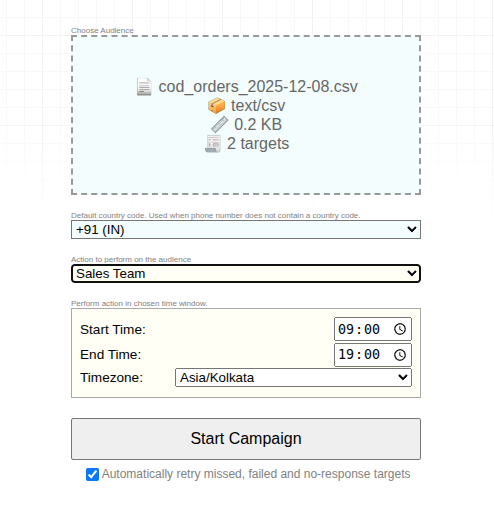
Now read the instructions carefully:
• Drag and drop the campaign CSV file here or click to select it.
(You can re-read the “Prerequisites” section above to ensure your CSV is prepared correctly.)
• Choose “Assign the Team” from the dropdown menu and select your team.
For example, if your Sales team has 5 members, the system will automatically delegate the uploaded data to those team members.

Step 3
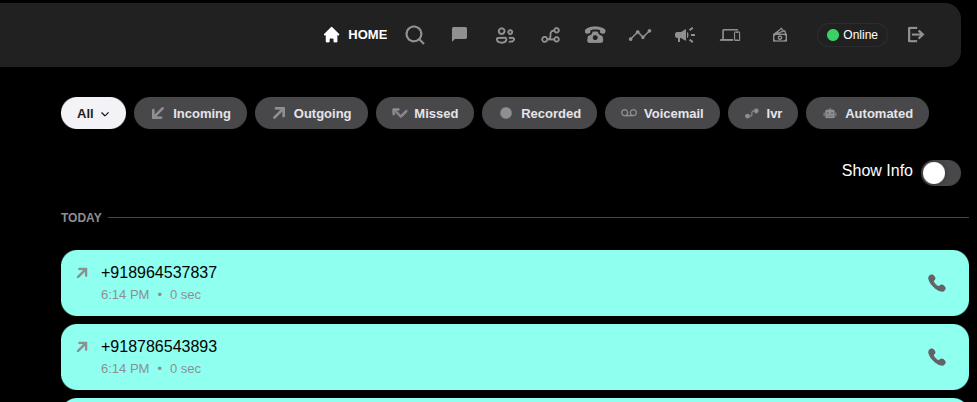
Simply click on “START CAMPAIGN.” the moment you start the campaign Each member will see the assigned leads as colored tiles on their Call Log screen within Jaxl Business Phone.
That’s all!
Go ahead and try the Jaxl Business Phone Campaign feature for smooth and efficient calling data delegation among your small to large team of members.
Start delegating smarter, assigning leads faster, and accelerating growth with Jaxl Business Phone your all-in-one engine for sales efficiency.
Transform your calling workflow today with Jaxl’s Campaign-based automation and let your team do what they do best
Download Jaxl Business Phone on Android
Download Jaxl Business Phone on iOS
If you have any other doubts about Jaxl Business Phone, Feel Free to visit our
Jaxl Business Phone FAQ