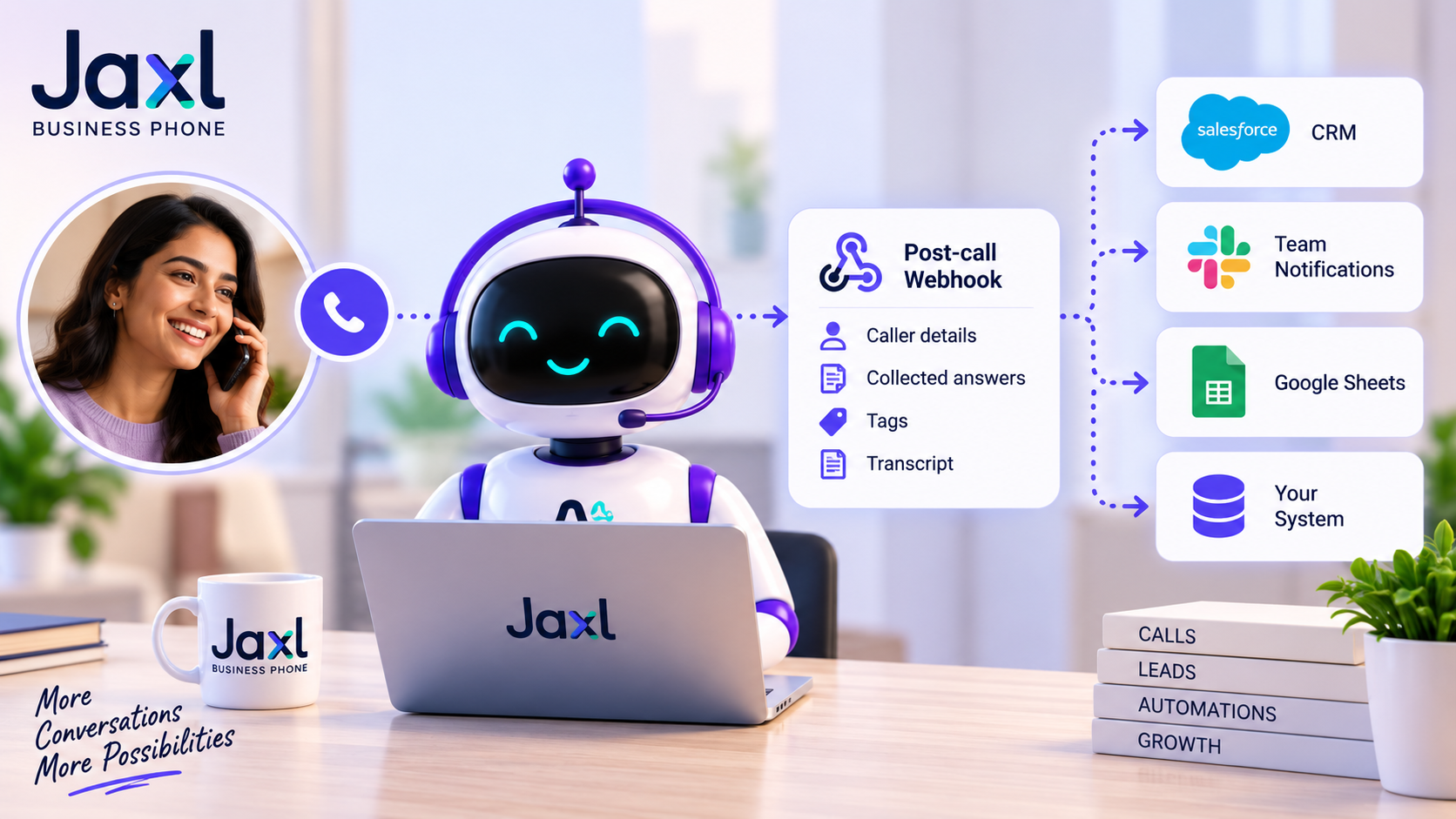
AI Receptionist Webhook: Connect Calls to Your Business Systems

An AI receptionist webhook allows businesses to automatically send information collected during phone conversations to their own systems after a call is completed.
An AI receptionist can do much more than answer a phone call. During a conversation, it can collect customer information, record inquiries, apply tags, and generate a transcript. With a webhook, that information can be sent directly to a business’s own software or backend.
This means your AI receptionist doesn’t have to be an isolated phone system.
It can become part of your existing business workflow.
What Is an AI Receptionist Webhook?
A webhook is a way for one system to automatically send information to another system when an event occurs.
In the case of an AI receptionist, the event is a completed call.
The basic workflow looks like this:
Customer calls
↓
AI receptionist handles the conversation
↓
AI collects information
↓
Call ends
↓
Jaxl sends the call data to your webhook
↓
Your system processes the information
Instead of someone manually copying information from a call into another application, the data can move automatically.
What Happens After an AI Receptionist Call?
During a call, the AI receptionist may collect information based on the business’s configured questions and workflows.
For example, a customer might say:
“I’m interested in your website development service. I’d like someone to call me tomorrow.”
The AI can capture information such as:
- Caller identity
- Service they’re interested in
- Inquiry details
- Callback requirement
- Tags
- Conversation transcript
Once the call is completed, this information can be sent to the business’s configured webhook endpoint.
What Data Can Jaxl Send Through the Webhook?
Jaxl Business Phone’s post-call webhook can send information from completed calls to your own system.
The webhook event includes information such as:
- Call ID
- Event
- Collected call data
- Answers collected during the conversation
- Tags
- Transcript
The collected answers can contain the information captured by the AI during the conversation.
For example, if your AI receptionist asks for a customer’s name and requirement, your system can receive those collected values along with the call information.
Why Send AI Call Data to Your Own System?
Businesses often already have systems they use to manage customers and operations.
You may have:
- A CRM
- Customer database
- Helpdesk
- Ecommerce backend
- Sales system
- Internal dashboard
- Marketing automation
- Custom business software
Without integration, your team may have to manually move information between systems.
A webhook can automate that process.
Example: Turning a Phone Call Into a Sales Lead
Imagine a digital agency using Jaxl Business Phone.
A potential customer calls.
The AI receptionist asks:
Name: Rahul
Service: Ecommerce website
Budget: ₹1–2 lakh
Callback: Tomorrow
The AI captures these details during the conversation.
After the call, Jaxl sends the collected information to the agency’s webhook.
The agency’s backend can then create a new lead automatically.
The workflow becomes:
Phone call → AI qualification → Webhook → CRM lead
No manual data entry is required.
Use AI Receptionist Webhooks With Your CRM
A CRM is often where sales and customer information ultimately needs to go.
With a webhook, your own backend can receive information from completed AI receptionist calls and use it to update your CRM.
For example:
New sales inquiry
→ Create lead
Existing customer complaint
→ Create support case
Callback request
→ Create follow-up task
Appointment inquiry
→ Send to booking workflow
The exact workflow depends on how your business systems are built.
Use Webhooks to Automate Customer Follow-Up
The information collected during a call can also trigger actions after the conversation.
For example:
A customer asks for a callback.
↓
AI records the request.
↓
Call ends.
↓
Webhook sends the information to your system.
↓
Your system creates a callback task.
The phone call has now triggered a business workflow automatically.
Connect Call Data to Internal Dashboards
Some businesses want to analyze their calls rather than simply store them.
A webhook can allow your own system to receive call information and build custom dashboards.
You could potentially track things such as:
- Number of calls
- Call categories
- Customer inquiries
- Leads generated
- Complaints
- Callback requests
- Tags
- Call outcomes
This can help businesses understand what customers are actually calling about.
Store AI Call Transcripts
The post-call webhook can also include the conversation transcript.
This can be useful when businesses want to:
- Store call records
- Analyze conversations
- Review customer interactions
- Build internal reporting
- Feed information into other workflows
Instead of keeping the conversation isolated inside a phone system, businesses can incorporate the information into their own data infrastructure.
Structured Answers Make Call Data More Useful
One of the useful aspects of collecting answers through an AI receptionist is that the information can be structured.
Consider a conversation where the AI asks:
“What service are you interested in?”
and the caller responds:
“Website development.”
Rather than relying only on a transcript, the business can have a structured answer associated with the question.
This makes it easier for your own system to process the information.
For example:
Service: Website development
Callback required: Yes
Preferred callback: Tomorrow
Structured information is much easier to use for automation than unstructured conversation alone.
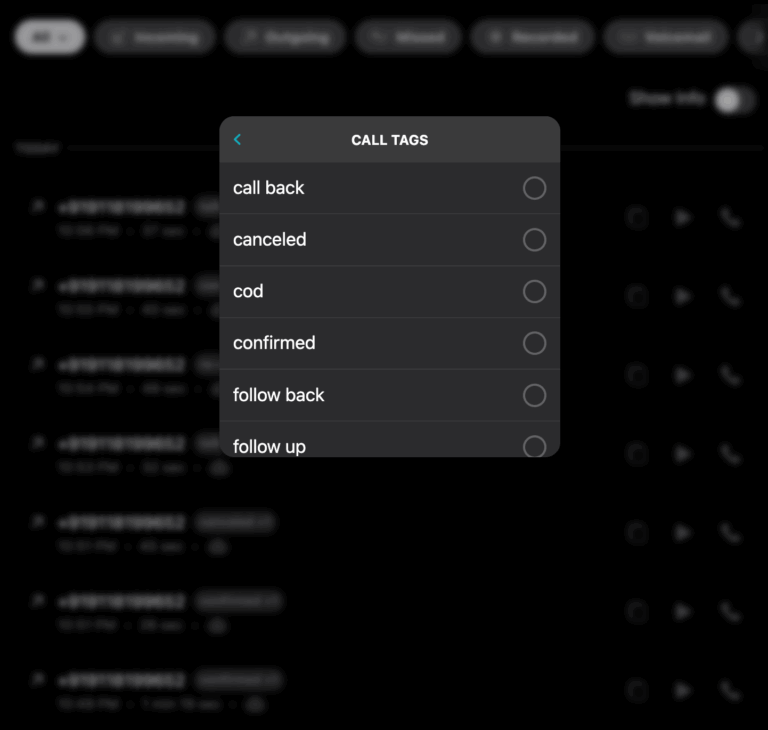
What Are Call Tags?
Tags can provide another way to organize conversations.
For example, a business might use tags such as:
- Sales
- Support
- Complaint
- Appointment
- Callback
- High Priority
- Existing Customer
Once the call is tagged, the information can be passed through the webhook and used by your own systems.
This can help automate what happens next.
Build Your Own Post-Call Workflow
One of the biggest advantages of webhooks is flexibility.
Every business has different processes.
One company might want to send leads to a CRM.
Another might want to create support tickets.
Another might want to store everything in its own database.
Another might want to trigger a custom automation.
A webhook gives developers a way to decide what happens after the AI receptionist finishes the call.
AI Receptionist Webhooks for Ecommerce
Ecommerce businesses can have particularly interesting use cases for post-call data.
An AI receptionist may handle conversations involving:
- Product inquiries
- Order questions
- Delivery issues
- Returns
- Refunds
- Payments
- COD verification
- Customer complaints
For ecommerce businesses, the AI can also work with available customer and shop context.
This can include information such as:
Customer Context
- Recent orders
- Delivery tracking
- Saved addresses
- Past call history
- Loyalty and membership information
- Pending payments
Shop Context
- Products and catalog
- Offers and discounts
- Return and refund policies
- Delivery areas and charges
- FAQs and knowledge base
The resulting call information can then be passed into the business’s own systems through the webhook.
AI Receptionist Webhooks for Lead Qualification
Webhooks become even more powerful when your AI receptionist qualifies leads before sending them to your team.
For example:
Caller: “I’m interested in your service.”
The AI asks:
“What service are you looking for?”
“What’s your expected timeline?”
“Would you like someone from our team to call you?”
The AI collects the answers.
After the call:
Lead → Qualified → Webhook → Sales system
Your salesperson can receive a lead that already contains useful context.
Who Should Use an AI Receptionist Webhook?
This feature is particularly useful for businesses that have:
- A custom CRM
- An internal customer database
- A helpdesk
- A sales platform
- Custom software
- Existing automation workflows
- A technical team or developer
It is also useful for agencies and technology teams building custom solutions for their customers.
Do You Need to Be a Developer?
The webhook feature is primarily designed for connecting Jaxl with another system, so some technical knowledge may be required depending on what you’re connecting.
At a basic level, your system provides an Endpoint URL where Jaxl can send the post-call information.
Your application can then receive the event and decide what to do with it.
For businesses without an internal development team, a developer or integration partner can build this connection.
How Jaxl Business Phone Uses Webhooks
Jaxl Business Phone provides a Post-call webhook for completed calls.
You can configure an endpoint URL where Jaxl sends information after each completed call.
The information can include:
- Call ID
- Event information
- Collected answers
- Tags
- Transcript
This gives your business control over what happens with the information after the conversation.
The workflow is simple:
AI receptionist
→ Completed call
→ Jaxl post-call webhook
→ Your system
From there, your own system can store the data, trigger an automation, create a lead, notify a team, or perform another action appropriate to your workflow.
Your AI Receptionist Shouldn’t Be a Dead End
An AI receptionist shouldn’t just answer a call and leave the information inside a phone system.
The real value comes from what happens after the conversation.
A customer calls.
The AI understands them.
The AI captures useful information.
The call ends.
Then that information can move into the systems your business already uses.
That’s how an AI receptionist becomes part of your broader business infrastructure.
Frequently Asked Questions
What is an AI receptionist webhook?
An AI receptionist webhook automatically sends information about a completed AI-handled call to a URL provided by your business.
What information can a Jaxl post-call webhook contain?
Jaxl’s post-call webhook can send the call ID, event information, collected answers, tags, and transcript.
Can I send Jaxl call information to my CRM?
Yes. Your webhook endpoint can receive the post-call information and your system can then use it to create or update CRM records.
Can webhooks trigger automations?
Yes. Your own system can use the information received through the webhook to trigger workflows such as lead creation, follow-up tasks, notifications, or other custom actions.
Can I receive the AI call transcript?
Yes. The post-call webhook can include the transcript from the completed call.
Can ecommerce businesses use Jaxl webhooks?
Yes. Ecommerce businesses can use post-call information from workflows such as customer inquiries, COD verification, delivery issues, and support calls.
Conclusion
An AI receptionist becomes much more powerful when it can connect with the rest of your business.
Instead of keeping call information isolated, a post-call webhook allows businesses to send collected answers, tags, transcripts, and call information into their own systems.
That means a phone call can become more than a conversation.
It can become:
A lead.
A support ticket.
A callback task.
A customer record.
A business workflow.
With Jaxl Business Phone, businesses can connect their AI receptionist conversations to the systems they already use and build workflows around the information collected during every call.
Connect Your AI Calls to Your Business
Jaxl Business Phone helps businesses answer calls with AI and connect post-call information to their own systems.
With the post-call webhook, you can:
- Receive completed call events
- Capture AI-collected answers
- Receive tags and transcripts
- Connect calls to your own backend
- Build custom post-call workflows
- Automate lead and customer follow-up
Learn more about Jaxl Business Phone at business.jaxl.com
Also read:
What Is an AI Receptionist?
How AI Receptionists Route Calls to the Right Team
How AI Receptionists Capture Leads and Caller Details